How to Add a Farsi Keyboard: iPhone, Android, Mac, Windows
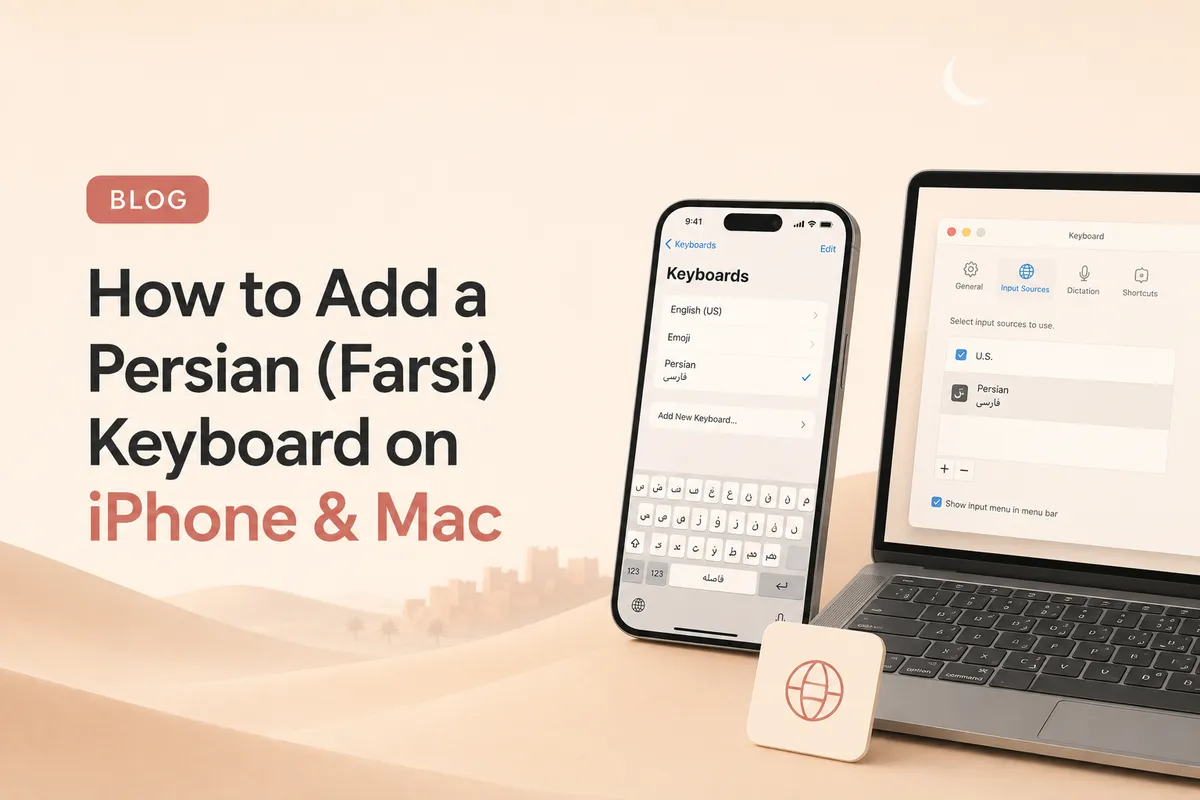
Turn on Persian typing in under two minutes. Exact steps for iPhone, iPad, Android, Mac and Windows, plus how to switch layouts and type ی and ک correctly.
Why You Need a Persian Keyboard
Reading Farsi is one thing. Typing it is where most learners get stuck. Without a Persian keyboard, you cannot reply to messages, search in Persian, or write practice sentences in real script.
The fix is fast. Every modern device, Mac, Windows, iPhone, Android, ships with a Persian keyboard built in. You only need to switch it on.
This guide walks through each platform. It also covers the two common layouts and the small typing quirks that confuse beginners.
Phonetic vs Standard Persian Layouts
Before you turn anything on, pick a layout. There are two main ones.
Standard Persian (ISIRI 9147). This is the official layout used in Iran. Letters are grouped logically for native typists. It is unrelated to QWERTY positions, so it has a learning curve.
Phonetic Persian. Letters sit where their nearest English sound lives. Press the s key and you get س. Press m and you get م. Much faster if you already touch type in English.
For learners, phonetic is the better start. You can switch to standard later if you plan to live or work in Persian.
Persian Keyboard on Mac
macOS has the standard Persian layout built in.
- Open System Settings.
- Click Keyboard, then Input Sources, then Edit.
- Press the + button, scroll to Persian, and pick Persian, Standard or Persian, ISIRI 2901.
- Click Add.
A tiny flag appears in your menu bar. Click it to switch between English and Persian, or use the shortcut Control + Space.
Want a phonetic layout instead? Download the free EuroFarsi layout from GitHub, drop the file into ~/Library/Keyboard Layouts/, restart, and add it the same way.
Persian Keyboard on Windows
Windows 10 and 11 both include Persian out of the box.
- Open Settings, then Time & language, then Language & region.
- Click Add a language, search for Persian, and install it.
- Click the three dots next to Persian, then Language options, then Add a keyboard.
- Pick Persian (Standard) or Persian.
The language switcher appears in the taskbar. The shortcut Windows + Space flips between layouts.
For phonetic typing on Windows, install the free Behdad Persian Keyboard from the Microsoft Store. It places letters near their English sound twins.
Persian Keyboard on iPhone and iPad
iOS ships with a clean Persian keyboard, no app needed.
- Open Settings, then General, then Keyboard.
- Tap Keyboards, then Add New Keyboard.
- Choose Persian.
To switch keyboards while typing, tap the globe icon at the bottom left or hold it to pick from a list.
Apple uses the standard Persian layout. Apps like Gboard offer a phonetic alternative on iOS if you want it.
Persian Keyboard on Android
Most Android phones use Gboard, which supports Persian directly.
- Open Gboard Settings, often inside Settings, then System, then Languages & input.
- Tap Languages, then Add keyboard.
- Search Persian and enable it.
While typing, swipe the space bar to switch keyboards. Gboard also has Persian (transliteration), a smart phonetic input that converts roman letters into Persian script as you type. Great for beginners.
Common Typing Quirks in Farsi
A few small things trip up new typists.
Zero width non joiner (ZWNJ). Persian uses an invisible character to break words like میروم into می + روم without an actual space. On Mac, press Shift + Space. On Windows, Shift + Space also works in most layouts. On iPhone, hold the space bar for a half second.
ی vs ي. Persian uses ی (no dots below). Arabic uses ي (two dots). If you copy Arabic text, replace ي with ی, otherwise search engines treat the words differently.
ک vs ك. Same story. Persian uses ک. Arabic uses ك.
Numbers. Persian numerals are ۰۱۲۳۴۵۶۷۸۹. Most Persian keyboards type these by default. Switch back to English for prices and forms when needed.
Where to Practice Your New Keyboard
Switching on a keyboard is easy. Using it without looking is the hard part.
Start by typing the alphabet from memory. Our Persian alphabet guide lists all 32 letters with their shapes. Open the page, then retype each letter in a notes app until your hands learn the positions.
Want to practise the connecting forms and the marks you just met (like the half-space)? The interactive Persian alphabet trainer drills the letter forms and symbols with instant feedback.
Want the exact steps for one device? We have separate guides for Android and Windows.
For full words, use our common Farsi phrases guide and type each phrase yourself. Saying it out loud helps too, see the Farsi pronunciation guide for the sounds.
Give it two weeks of daily five minute practice. Typing in Farsi will feel natural.